


How to Quantitate peaks at different wavelengths - Tip232
OBJECTIVE or GOAL
Learn how to quantitate a peak at one wavelength, using a calibration curve for a different peak at another wavelength, with data collected using the PDA detector.
ENVIRONMENT
- Empower
- Empower Tip of the week #232
PROCEDURE
STEP 1
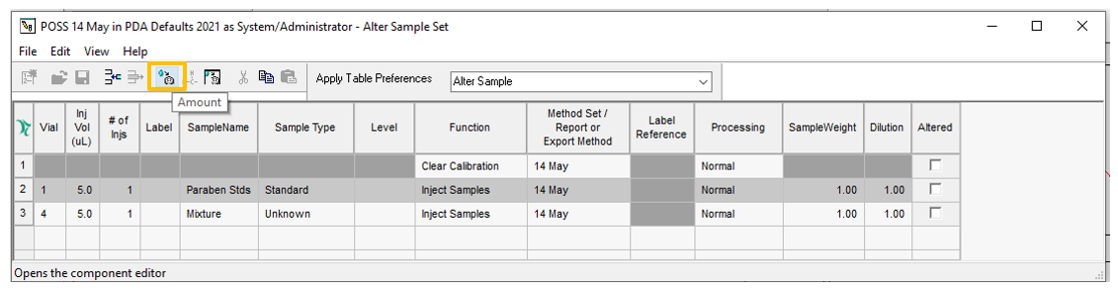
In either ‘Alter Sample’ or ‘Run Samples’, click the ‘Amount’ tool (figure 1).
STEP 2
Enter the amounts for the components in the standard(s) (figure 2).

STEP 3
Open the Processing Method. On the ‘Component’ tab, select the wavelength for each of the peaks using the Channel field. The ‘Curve Reference’ field is used to tell Empower to quantitate Propiophenone using the curve generated for the peak listed as the Curve Reference, which in this example is ‘EP’ (figure 3).

STEP 4
Populate the ‘Channel’ table in the Method set with the Channels and their respective Processing Methods (figure 4).

STEP 5
You see the result for the standard at 257nm, the amount for the components are as entered in Step 2
(figure 5).

STEP 6
You see the result for the sample at 244nm and the peak in question has been quantitated based on the referenced peak in the standard (figure 6).

ADDITIONAL INFORMATION
Final Note: You can use either the Pro or QuickStart interface for this tip.