


Method differences in Japanese version Empower 3 report method are garbled - WKB197330
Article number: 197330
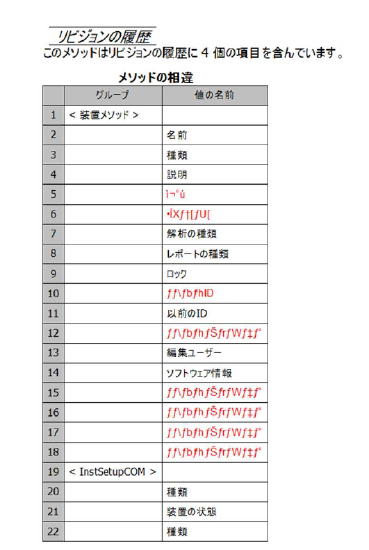
SYMPTOMS
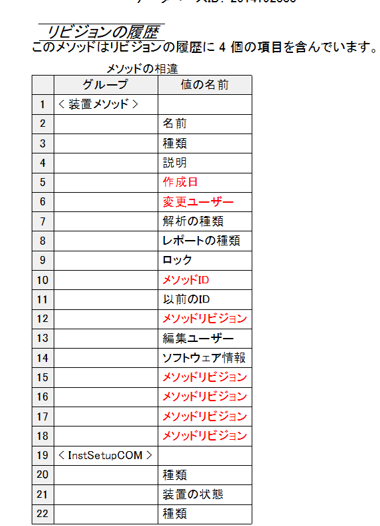
- Method differences in Japanese version Empower 3 report method are garbled
ENVIRONMENT
- Empower 3 Japanese version
CAUSE
Unknown
FIX or WORKAROUND
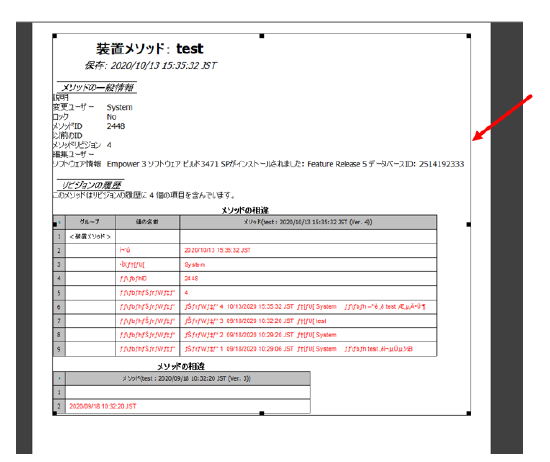
- Select to delete the garbled group on the Report Editor screen.
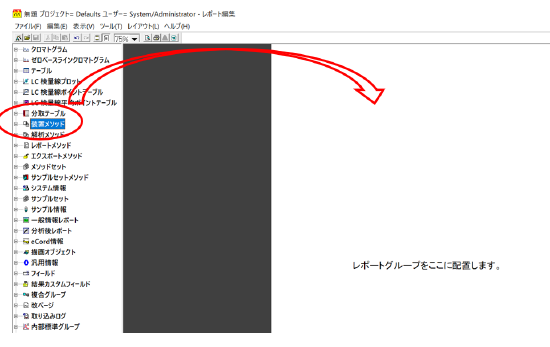
- Drag and drop the group at the top of the report group tree (for example, Instrument Method) to the Report Editor window.
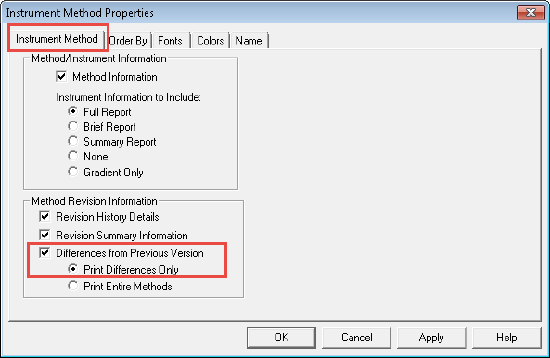
- In the Report Editor window, select the dropped group, right-click, and select Properties (for example, Instrument method Method Properties).
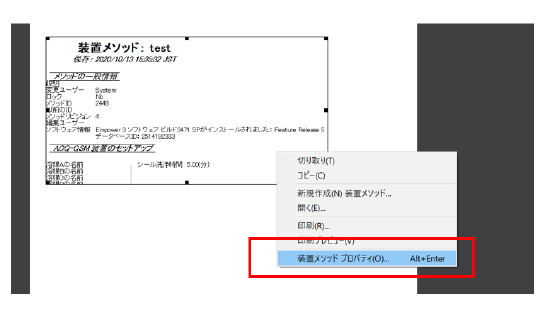
- Select "Differences from Previous Version" and click OK.
- Preview.
- Save the report method with "Save as" if needed.
ADDITIONAL INFORMATION
id197330, EMP2LIC, EMP2OPT, EMP2SW, EMP3GC, EMP3LIC, EMP3OPT, EMP3SW, EMPGC, EMPGPC, EMPLIC, EMPOWER2, EMPOWER3, EMPSW, SUP