


How to change the pressure unit shown for the 2695 Separations Module in the Run Samples window of Empower 3 - WKB107067
Article number: 107067
OBJECTIVE or GOAL
- Change the pressure unit shown for the 2695 Separations Module in the Run Samples window of Empower 3.
ENVIRONMENT
- Empower 3
- 2695 Separations Module
PROCEDURE
1. From the "Customize" menu, select Defaults.

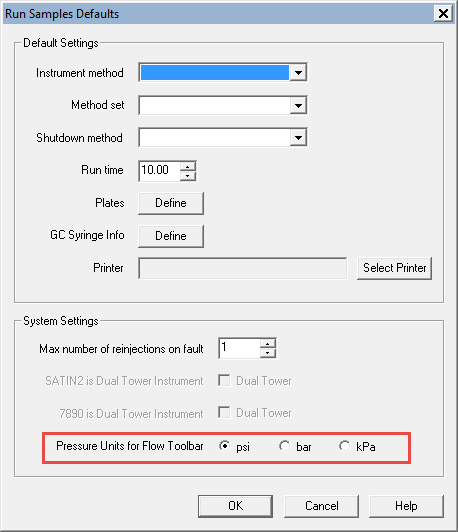
2. Change “Pressure Units for Flow Toolbar” on the Defaults screen of Run Samples, and click OK.
ADDITIONAL INFORMATION