


Calculate signal-to-noise ratio using a blank from a sample set other than the one that has the samples of interest - Tip275
OBJECTIVE or GOAL
Calculate signal-to-noise ratio using a blank from a sample set other than the one that has the samples of interest.
ENVIRONMENT
- Empower
- Empower Tip of the Week #275
PROCEDURE
STEP 1
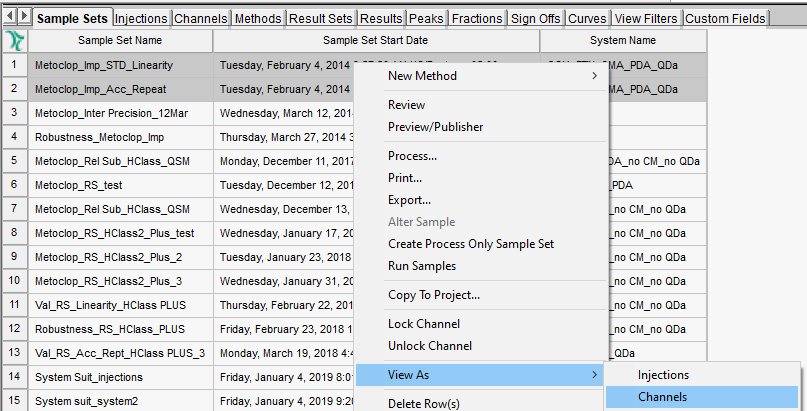
From the Sample Sets tab, highlight the sample sets that contain the data you want to work with. Right-click and select "View As, Channels" (Figure 1).
STEP 2
On the Channels tab, have a View Filter already created that includes Sample Set Name. Highlight the Blank from one sample set and Channels of interest from the other sample set. Then create a Process Only Sample Set (Figure 2). Note: Refer to Tip #237 to learn how to create Process Only Sample Sets.

STEP 3
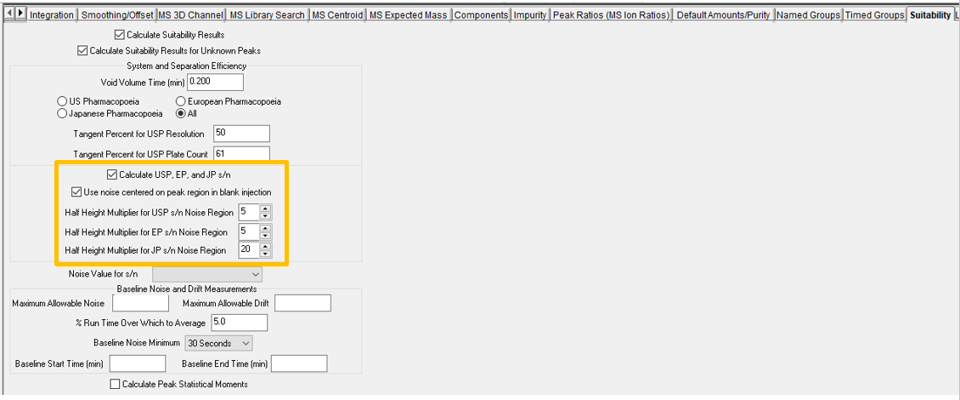
Ensure that the processing method has "Calculate USP, EP and JP s/n" selected, along with "Use noise centered on peak region in blank injection" (Figure 3).
STEP 4
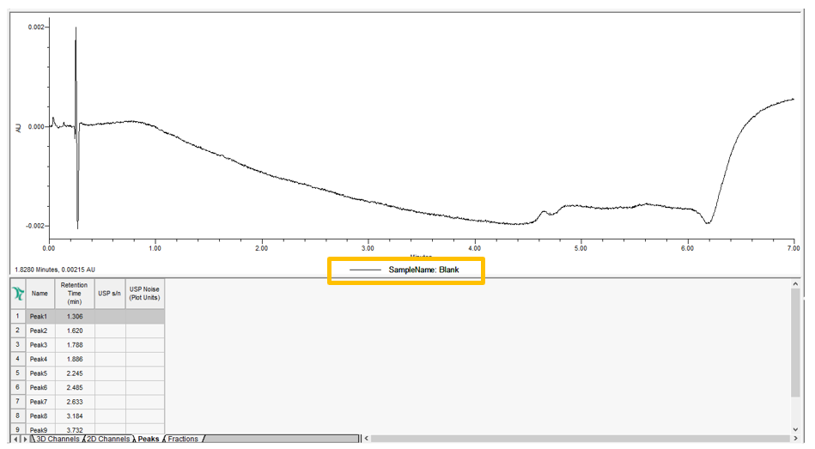
When the data is processed, you will see the Blank (Figure 4).
STEP 5
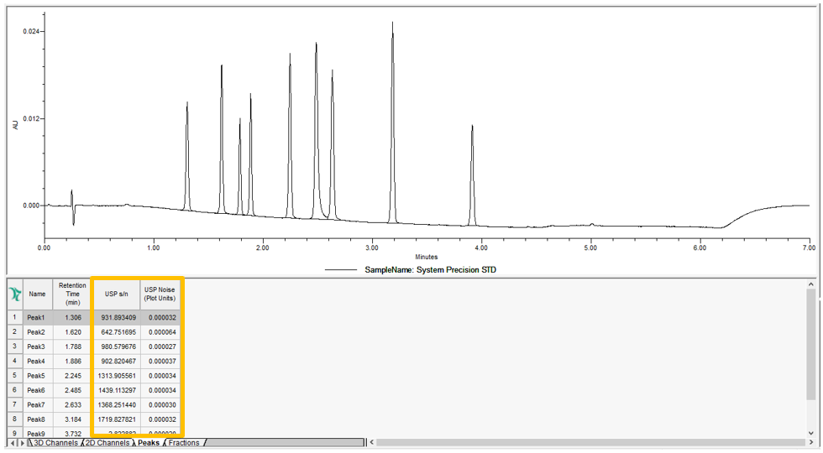
The peaks in the sample have both the "USP signal to noise (s/n)" and "USP noise" calculated for each peak and can be displayed in the Peaks table (Figure 5).
ADDITIONAL INFORMATION
This can be done with either the Pro or the QuickStart interface.