


How to calculate resolution between peaks that are in different channels (2) - Tip261
OBJECTIVE or GOAL
This article discusses an alternative approach by creating a Custom Field to calculate resolution between the two peaks. This would be a Peak Custom Field using Intersample syntax.
ENVIRONMENT
- Empower
- Empower Tip of the Week #261
PROCEDURE
STEP 1
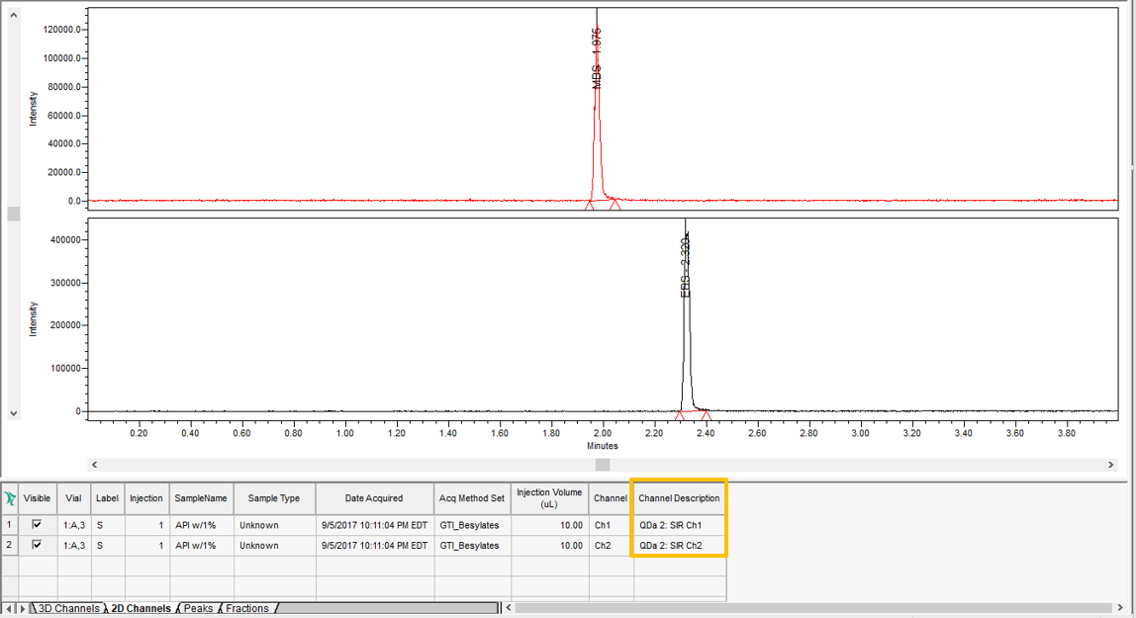
We have a stack plot of the two channels of data, each with its own peak eluting at different retention times (figure 1).
STEP 2
Be sure to enable System Suitability in the Processing Method as we will need the ‘Width at Tangent for USP Resolution’ values for our Custom Field (figure 2).

STEP 3
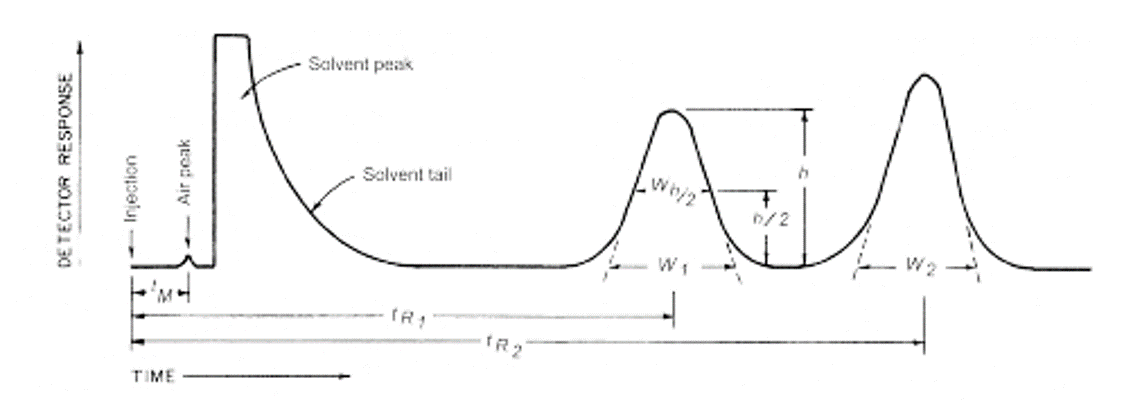
The calculation for USP Resolution = 2(RT2-RT1)/(W1+W2), where RT is the ‘retention time’ and W is the ‘width at Tangent’ for USP Resolution (figure 3).
STEP 4
Intersample syntax is ‘label.injection.channel (field). (Refer to Empower Tip #93 for more details on creating intersample Custom Fields) (figure 4).

STEP 5
The properties of the Custom Field can be viewed (figure 5).

STEP 6
The result displaying the resolution between the two peaks in the two different channels is different from the value calculated in Tip #260. The baseline in the combined chromatogram is different from the baselines in the individual chromatograms resulting in different baseline noise, different peak starts/stops and different peak widths. The key is to pick one approach for consistency in the calculations (figure 6).

ADDITIONAL INFORMATION
Final Note: This can be done with either the Pro or QuickStart interface.