


Empower CDS Tip of the Week: Data Integrity Essentials for Compliant Operations - Tip475
OBJECTIVE or GOAL
Welcome back to Get Empowered! mpower Chromatography Data System (CDS), elevating your approach to chromatography. In the last Empower CDS Tip of the Week, we learned how to modify our control chart within waters_connect Data Intelligence.
This week, we’ll use the Data Integrity dashboard in waters_connect Data Intelligence to assess compliant operations. waters_connect Data Intelligence is a Waters-hosted, cloud-based application that creates visualizations from Empower CDS project metadata. It removes limitations related to Empower CDS databases, projects, and versions, and once data is uploaded to waters_connect Software, it no longer needs to remain in Empower CDS for visualization.
Let’s see how it’s done.
ENVIRONMENT
- Empower
PROCEDURE
STEP 1
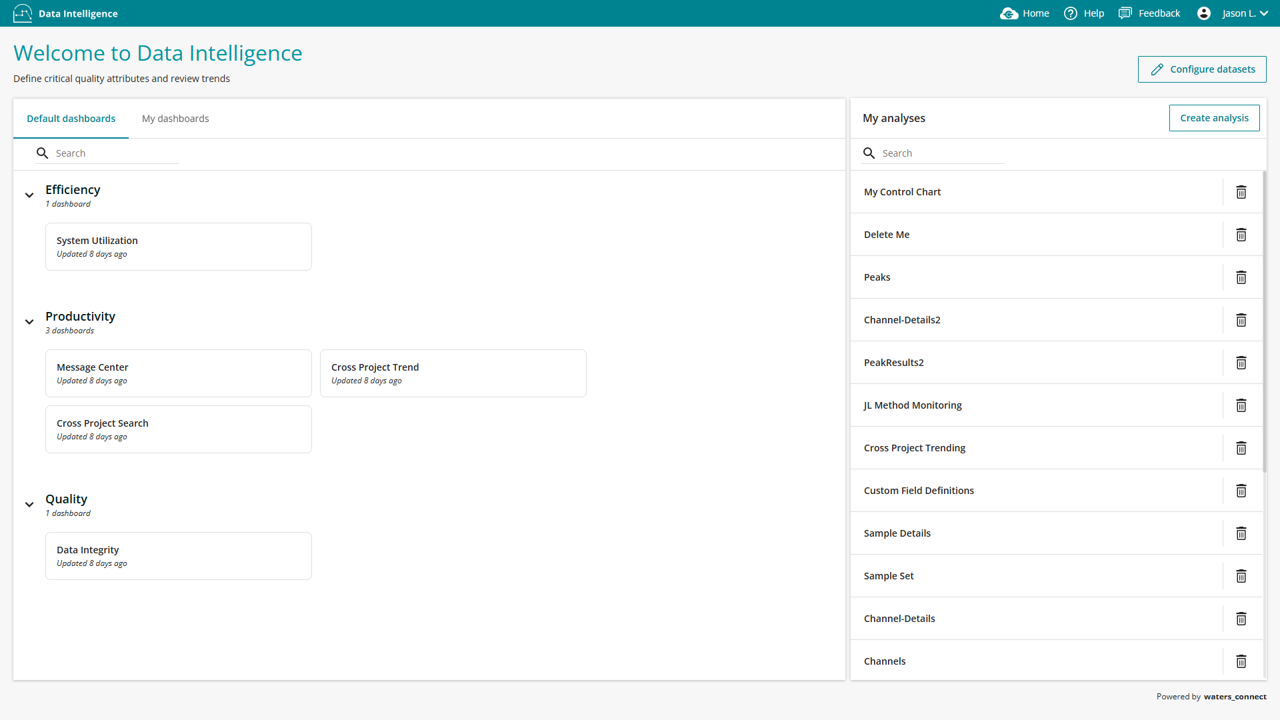
To begin, open the Data Integrity dashboard from the waters_connect Data Intelligence welcome screen. The dashboard contains several tabs designed to investigate data integrity concerns. (figure 1).
STEP 2
Start with the Aborted Single Injections tab and expand the Controls ribbon using the chevron in the upper right corner. This tab interrogates metadata to identify aborted injections created from the Single tab in the Empower CDS Run Samples window, across multiple databases and projects, with filtering available using additional metadata fields. (figure 2).

STEP 3
Next, review the Aborted Sample Sets tab, which similarly identifies aborted sample sets. Results can be viewed from system, user, project, or sample-set–method perspectives using the Analyze by filter. (figure 3).

STEP 4
Then, select the Unprocessed Channels tab to find orphaned data across databases and projects. You can filter results using the Controls ribbon or by selecting a bar in the chart; click again to clear the selection. This interactive filtering is available across all tabs. (figure 4).

STEP 5
The remaining tabs function similarly, each focusing on different data integrity checks:
a) Reprocessed Channels identifies channels processed multiple times.
b) Single Injection Details show injections created using the Single tab.
c) Manually Integrated Peaks highlights manually saved or integrated peaks.
d) Process Method Events audits all integration event types used in processing methods across Empower CDS environments. (figure 5).

ADDITIONAL INFORMATION
It is that easy!